Instapaper coming it iPad
March 24th 2010
Developer outlines plans for popular save-for-later reader app.
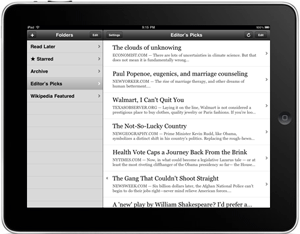 Instapaper, if you haven't tried it yet, is a pretty cool system for saving articles to read later. By placing a link into your browser tool bar, whenever the button is clicked, it will save to your free Instapaper account. You can then pull up saved articles for later reading on the Web or on your iPhone. This is really handy when you come across stuff you'd like to read, but don't have time.
Marco Arment outlined some plans for the app, while also giving a look into developing iPad apps with no iPad. On the iPhone, the app comes in a free add-supported version and a more feature-rich pro version for $4.99. The app view text and graphical versions of the links. Arment indicated those buying the Pro version will have both the iPhone and iPad apps.
The new version will feature a Mail-like horizontal view. It seems the iPad version, aside from the layout changes, will basically cover the same features as the version 2.2 app.
"So, rather than rewriting my entire interface for the iPad over the two months that we've had, I spent the first few weeks finishing and launching the 2.2 update to my iPhone app, a major undertaking that added a lot of great features, using techniques that would allow me to easily adapt all of the features to the iPad. And I spent the remaining time adapting my interfaces, rewriting or modifying where necessary, for this new platform."
Arment also has an interest note about developing for a device that's not shipping:
"Developers have been put in a difficult position: if we submit our applications for review and sale before we've ever used an iPad, we can be in the App Store on (or near) day one. But we won't have had a chance to test our applications on a real iPad -- we'll just need to rely on Apple's reviewers to tell us whether they work. This is risky, since we don't even know some critical details about the iPad yet, like how much RAM it has or how quickly it will execute our animations and number-crunching."
Instapaper for iPad